THE OPERATING LAYER FOR INDIAMART LEADS
IndiaMART automation, with every decision in view.
Build the qualification logic once. Engyne watches the feed, explains every decision, and moves the right opportunity into the next place your team works.
Product demonstrations below use illustrative data.
Engyne Cloud is our main product. Use its responsive web app on phone or desktop. Engyne for Chrome is the separate browser-based option.
ONE CONNECTED SYSTEM
Designed around the decision, not around collecting more noise.
Engyne is intentionally focused. It does not try to become your CRM. It decides which IndiaMART opportunities deserve attention, then hands them off cleanly.
 ENGYNE CLOUDQualification engineRUNNING
01 / CONTROL
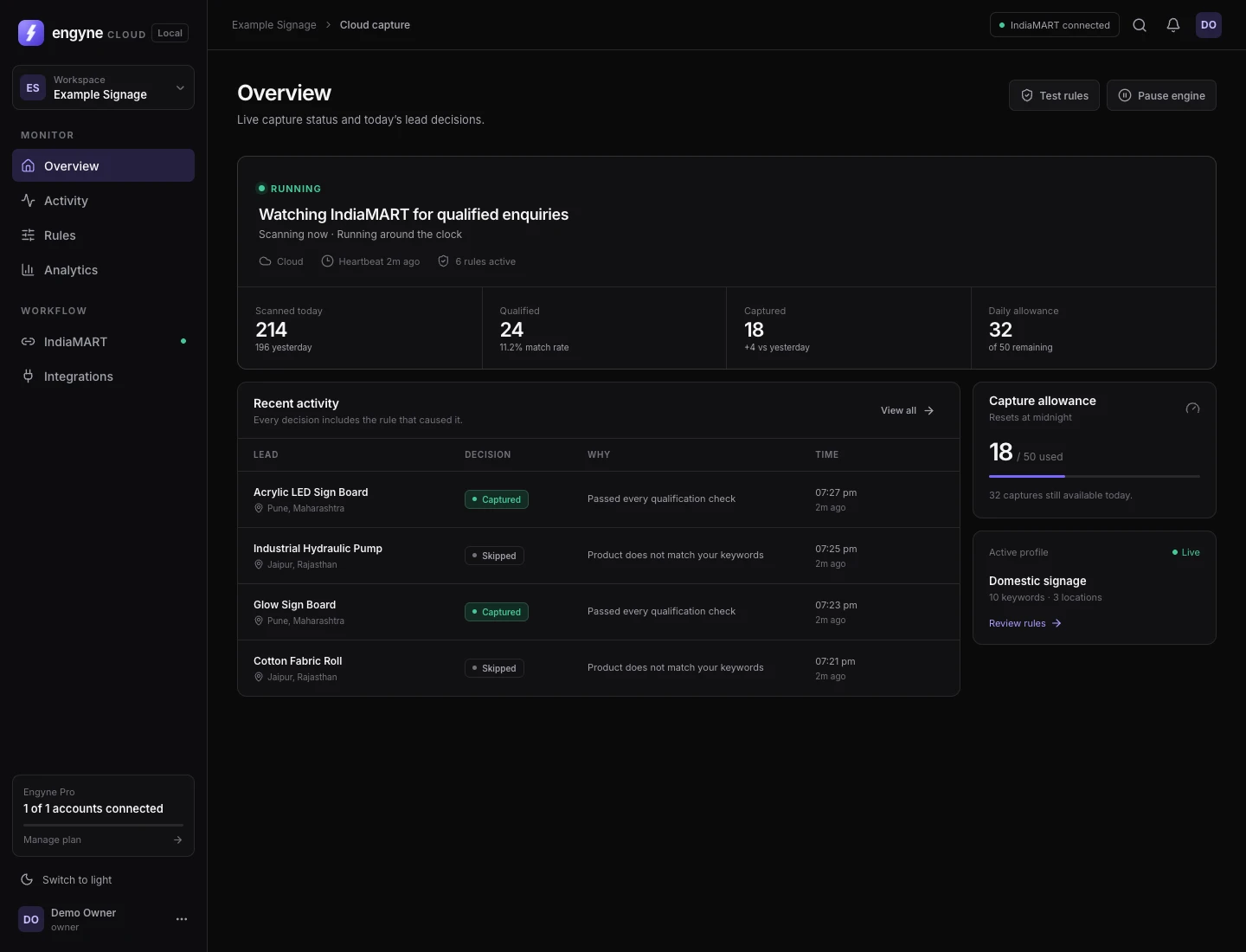
Know exactly what is running before it spends attention.
The home view answers the operational questions immediately: which seller account is connected, whether capture is running, when it will stop, how recently it checked in, and how much daily allowance remains.
- Live connection health and heartbeat
- Schedules for active days and time windows
- Daily capture limit with remaining allowance
- Pause, resume, and test controls
02 / RULES
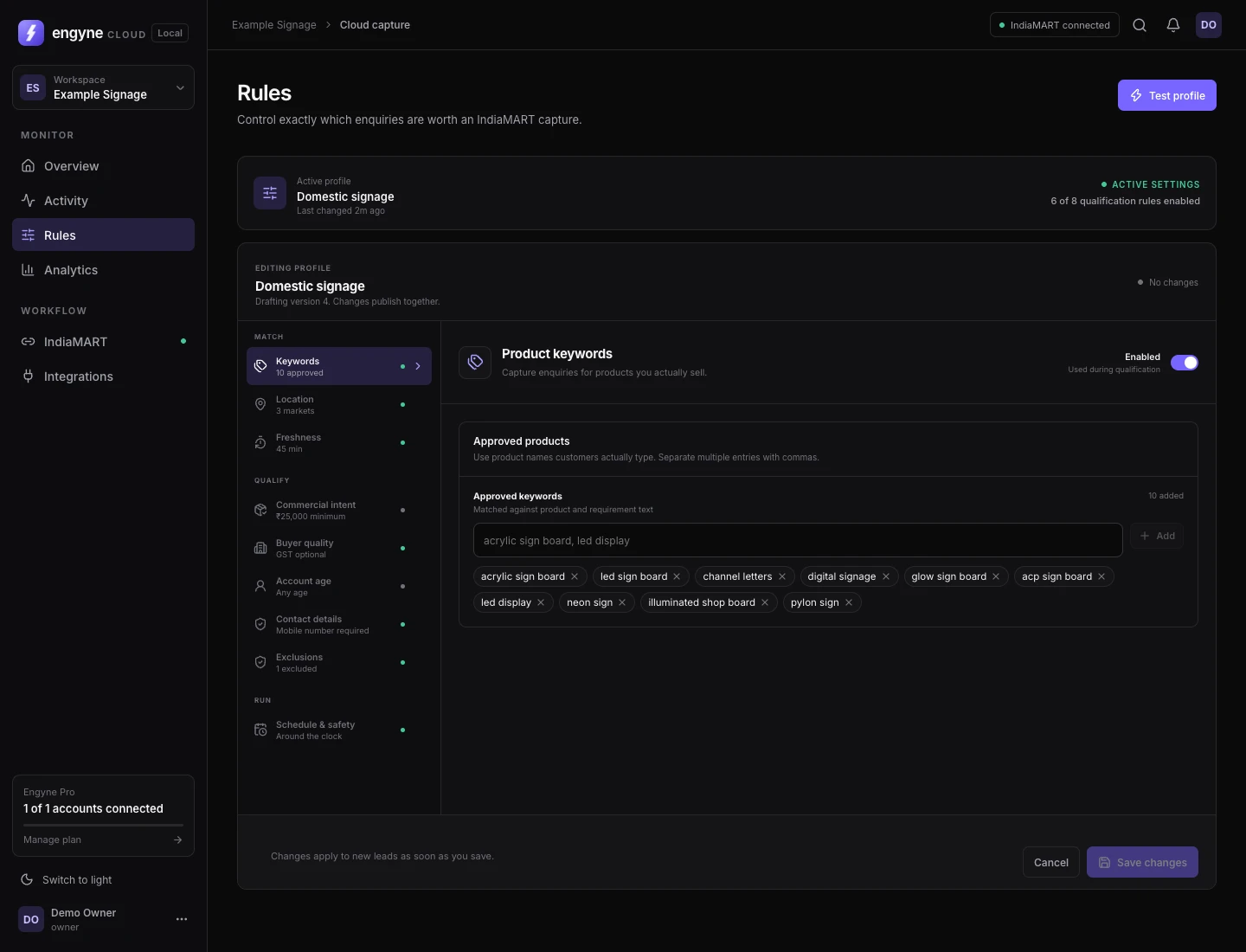
Translate sales judgment into a reusable qualification profile.
Each seller account can keep its own profile. Turn rule groups on or off, edit them independently, and test the complete profile before you let it capture anything.
- Approved and restricted keywords
- Indian states and export countries
- Lead freshness and buyer quality
- Quantity and contact requirements
03 / DECISION HISTORY
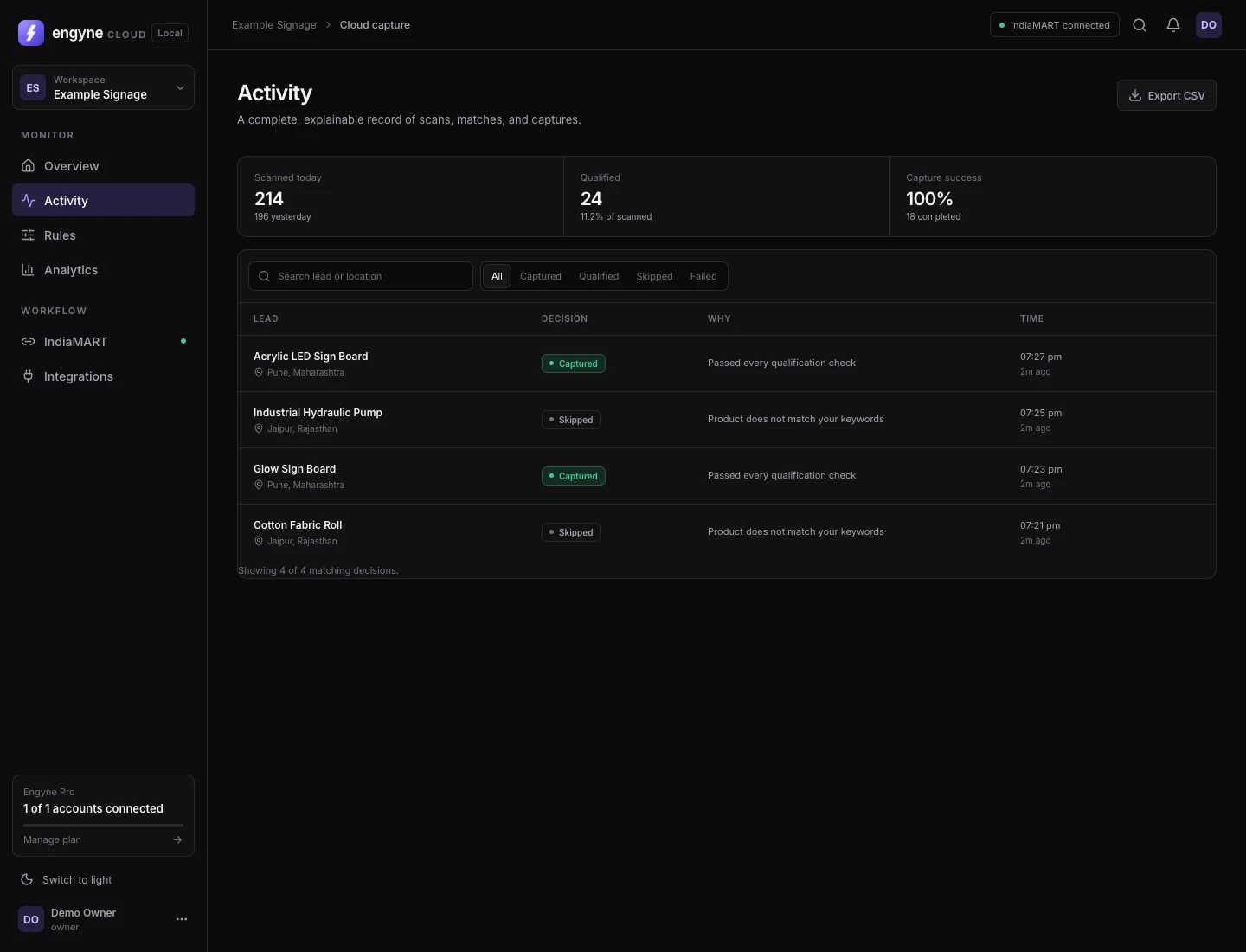
Every capture and every skip leaves a reason behind.
A reliable automation is not a black box. Search the activity stream, narrow it by outcome, and open the exact rule context behind a decision.
- Captured, qualified, and skipped outcomes
- Rule-level decision explanation
- Search and decision-status filters
- Buyer and enquiry context in one record
04 / ANALYTICS
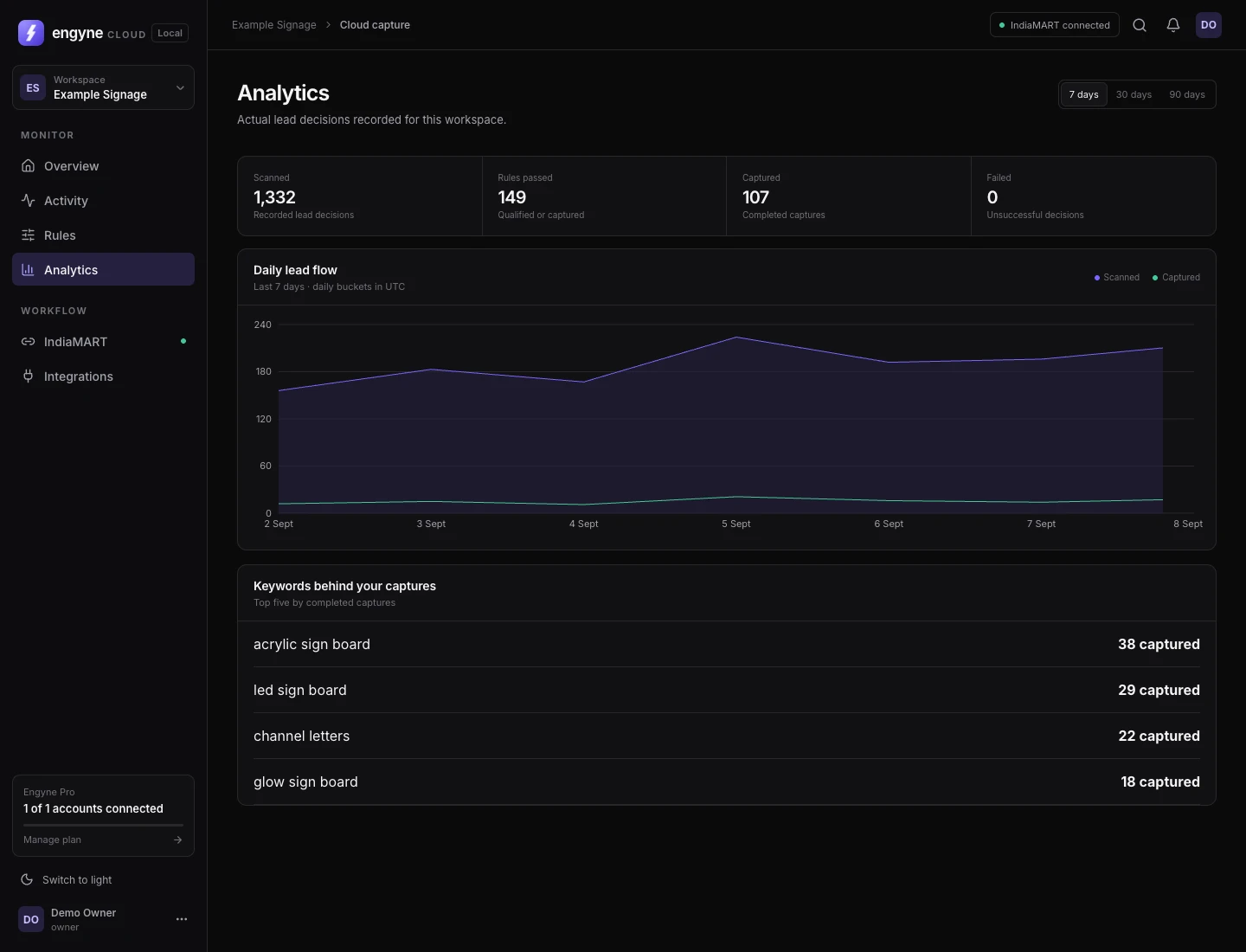
Improve the rules with evidence from the real feed.
See how much Engyne scanned, what qualified, what was captured, and where the rules may be too broad or too strict. Compare short and longer periods without building a separate report.
- 7, 30, and 90-day views
- Scan, match, and capture trends
- Scanned, captured and failed totals
- Top keywords by completed captures
05 / DELIVERY
Move the opportunity into the next action.
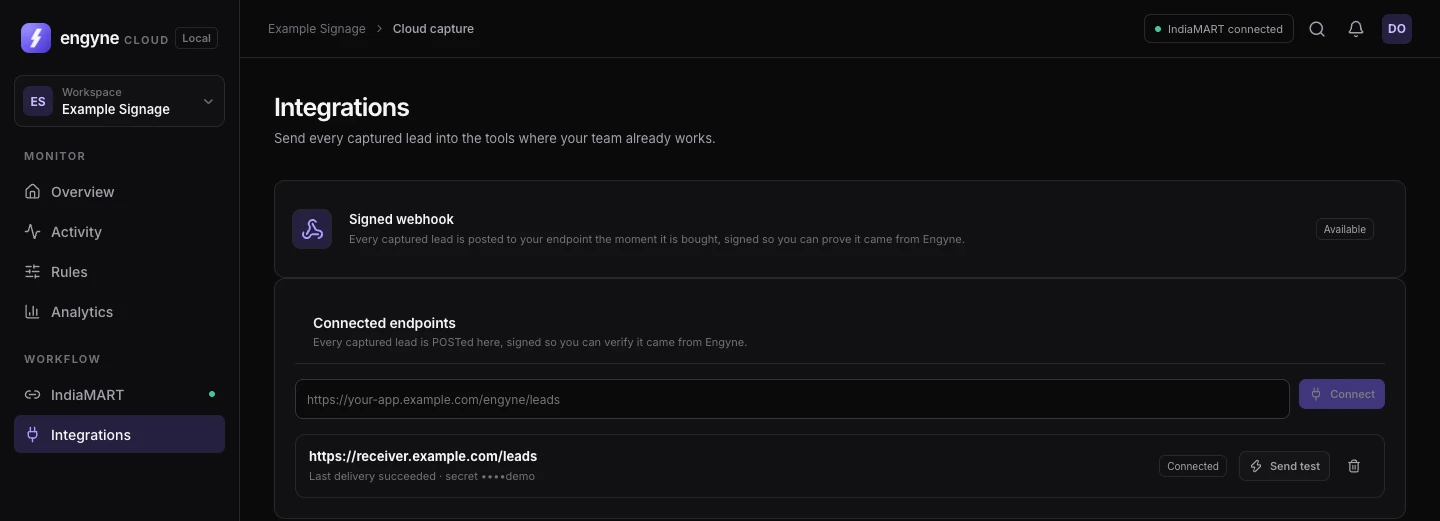
Send captured-lead events to your own HTTPS receiver. Configure the endpoint, send a test event and inspect delivery history from the Cloud workspace.
WORKFLOW ILLUSTRATION · SAMPLE DATA · NOT AN APP SCREEN
01 / NEW ENQUIRY
Acrylic LED Sign Board
Rajkot, Gujarat · 25 pieces · posted 3 minutes ago
New BuyLeadYour seller account
Engyne sees the enquiry available to your connected IndiaMART account.
Explore webhooks and destination options →
ENGYNE CLOUD / ON YOUR PHONE
Your workspace goes with you.
Check capture status, review decisions and update rules from the same Cloud account. Add the web app to your home screen for quick access.
Capture runs in the cloud while your seller connection is valid, your subscription permits it and your schedule is active. Your phone does not need to keep the app open.
See the phone experience →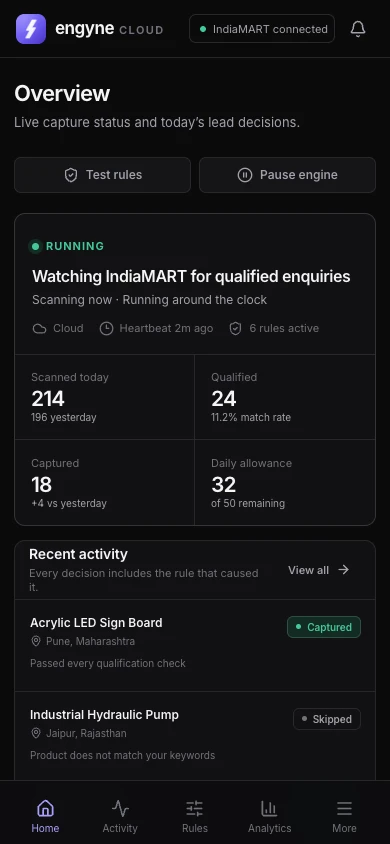
06 / CHROME EXTENSION
Prefer browser-led control? The original Engyne remains available.
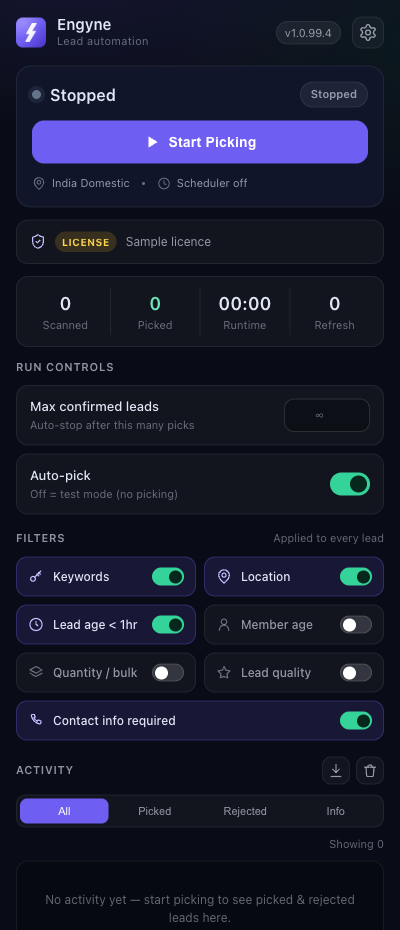
The Chrome extension runs alongside IndiaMART in a native side panel. It is the leaner option for one person who works primarily from a desktop browser and wants direct control over each session.
- Uses your current IndiaMART browser session
- Same core rule families
- Test mode before auto-pick
- Local activity log with rejection reasons
BEGIN WITH YOUR ACTUAL CATALOGUE
Build the first qualification profile around the way you sell.
Create your account and configure your first seller connection. Get help on WhatsApp whenever you need it.