
Auto refresh IndiaMART BuyLeads — with rules, not just reloads
Anyone can reload a page. The real job is reading each new lead and deciding fast. Engyne Cloud refreshes the recent BuyLeads page on your schedule and qualifies every new lead against your keyword and location rules the moment it appears.
Engyne Cloud auto-refreshes the IndiaMART recent BuyLeads page on a schedule — daily windows with set start and stop times, or interval cycles that run for X minutes then pause for Y. Each new lead is checked against your full rule set, and everything it does is logged. Engyne Cloud runs on hosted infrastructure, so nothing has to stay open on your computer.
The refresh treadmill
Fresh BuyLeads convert best in the first minutes, while the buyer is still online comparing suppliers. So seller teams do the only thing they can: keep the recent BuyLeads tab open and refresh it over and over, all day. It works — until lunch, a customer call, or 7 PM, when the refreshing stops and the leads keep coming.
Two scheduling modes
- Daily windows: pick active days and a start/stop time — for example Mon–Sat, 09:00–19:00. Engyne Cloud opens or reuses the recent BuyLeads tab when the window starts and stops cleanly when it ends.
- Interval cycles: run for X minutes, pause for Y minutes, repeat. Useful when you want coverage without a continuously active session.
Manual start and scheduled start use the same qualification flow, so what you validated by hand is exactly what runs on the schedule. If you set a max-picks limit, the run stops itself once reached — the run has a defined stopping point.
Refreshing is the easy half
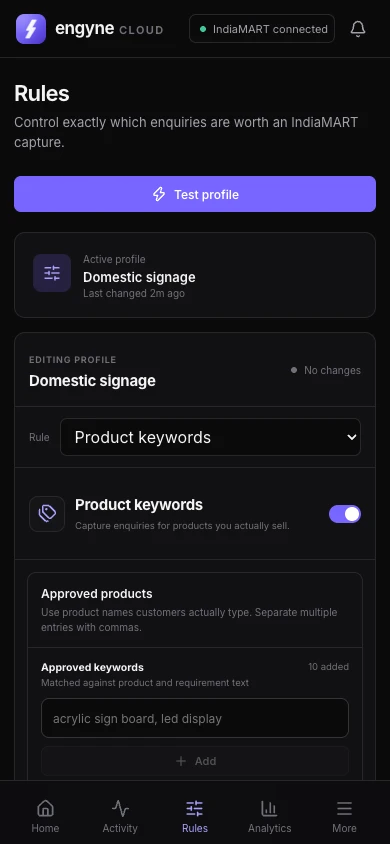
After every refresh, each new lead goes through your full rule set — approved and restricted keywords, India state or export country rules, lead age, and quality conditions. Matches get picked by the auto picker; everything else lands in the log with a reason. The Refresh counter stays separate from the Scanned counter, so you can see exactly how much watching the tool did for you.
Accountable automation
Unattended tools need an audit trail. Engyne Cloud keeps up to 2,000 timestamped log entries — every scheduler start, refresh, scan, pick, and rejection — filterable and exportable. When you come back to your desk you read a two-minute summary instead of wondering what happened.
Set up your schedule with us
Tell us your working hours and product line to support@engyne.space. We'll configure the scheduler and keyword rules with you and support the workflow all year.