
Play equipment qualification
A configuration example for equipment sales, serviceable regions and unwanted repair enquiries.
What the profile should express
This is a configuration walkthrough, not a verified customer-results report. It does not claim measured time savings, lead volume or sales, and it is not evidence of Cloud performance.
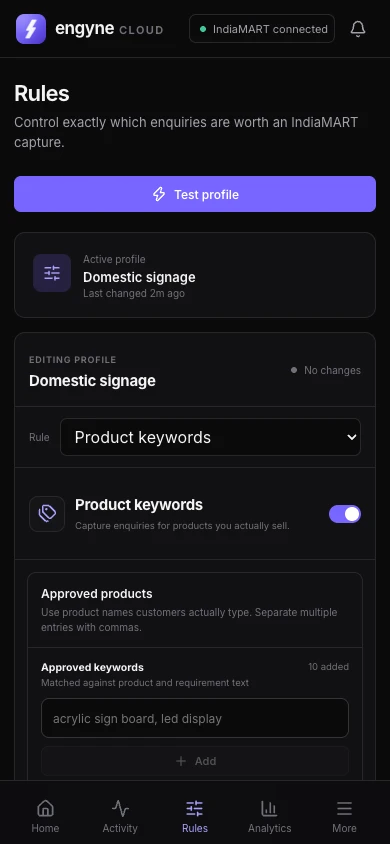
- Approved terms: the equipment types and buyer vocabulary in your catalogue.
- Exclusions: repairs, installation-only, spares-only and maintenance, where you do not offer those services.
- Markets: states where delivery and service are viable.
- Quantity: choose a minimum that reflects the orders you can fulfil.
Validate with your own catalogue
Start with auto-pick off. Review Engyne’s decisions and adjust terms that miss relevant requirements or admit unwanted ones. Set a conservative maximum-picks limit before enabling purchases.
Keep the final qualification decision under your control. Keyword matches cannot establish certification, regulatory eligibility, buyer solvency or whether an order is commercially suitable.
Apply the same thinking to Cloud
The current Engyne product runs in a desktop Chrome extension, with monitoring and controls in the phone web app. Use these category-specific principles when you configure your own products, locations and limits.
See matching rules · Discuss your catalogue · More configuration examples